The UX / UI transition
Published: 16 September 2023
UX/UI Design
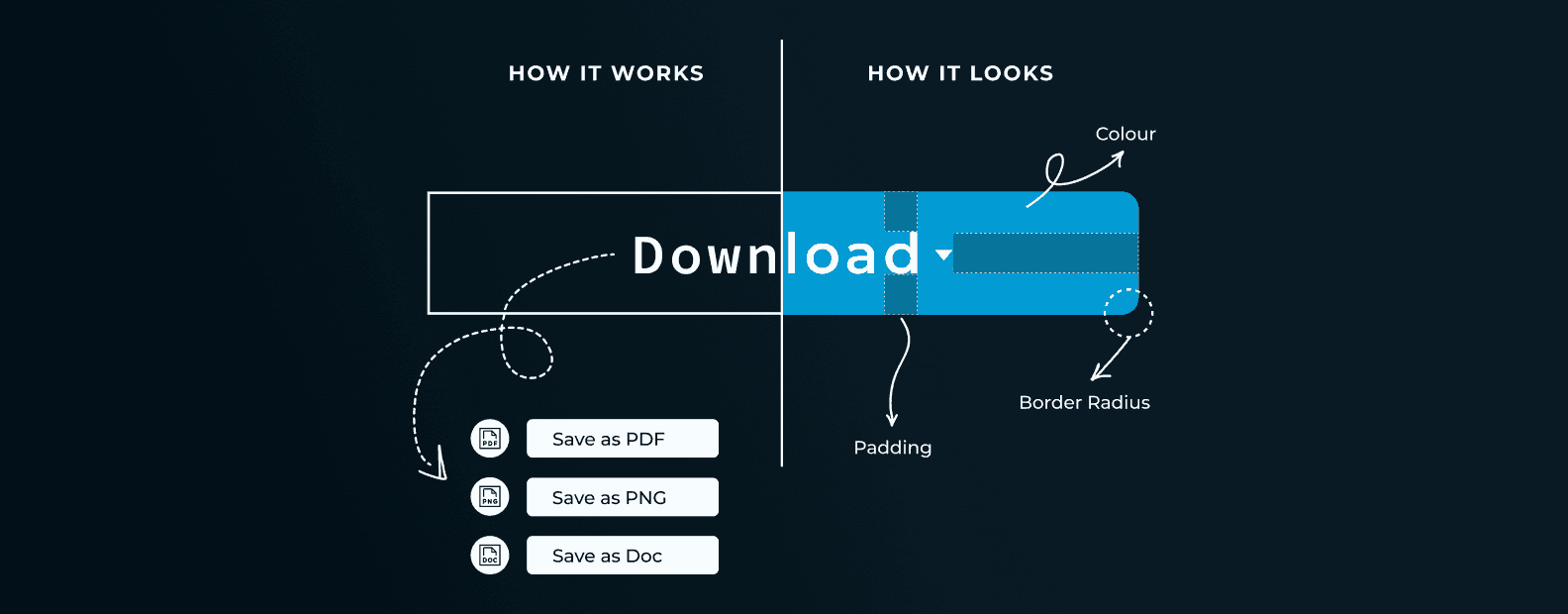
In the realm of digital product design, two crucial but distinct phases stand out: User Experience (UX) and User Interface (UI). Each plays a pivotal role in creating a compelling digital experience. In this blog post, we’ll explore the transition between UX wireframes and UI design, with a focus on how the style guide and wireframes come together to craft the final visual designs.
Content
Understanding UX vs UI
Before diving into the transition, let’s briefly distinguish between UX and UI design:
UX (User Experience) Design: UX design focuses on enhancing the overall experience users have with a digital product. It involves research, wire framing, prototyping, and usability testing to ensure that the product is user-friendly and aligns with user needs and goals.
UI (User Interface) Design: UI design is concerned with the look and feel of the product. It deals with visual elements like colours, typography, icons, buttons, and layout. UI designers aim to create an aesthetically pleasing and consistent interface that reflects the brand’s identity.
The Transition: Wireframes to Visual Designs
Creating a Style Guide: A style guide serves as a design rule book, defining the visual language of the digital product. Think of it as the CI Manual for your site, software or any digital product you release. It includes guidelines for typography, colour schemes, iconography, and other design elements. Before transitioning from UX to UI, a style guide is developed to ensure design consistency throughout the product.
Wireframes as a Blueprint: Wireframes, created during the UX phase, are low-fidelity representations of the product’s layout and functionality. They serve as a blueprint for the UI design. Wireframes focus on structure and user flow, without diving into visual aesthetics. During this phase, the primary goal is to ensure that the product’s functionality aligns with user needs, and that the information (including CTA buttons, menu links, and product images, for example) is laid out in a way that your user would enjoy engaging with.
Bridging UX and UI: The transition from UX to UI involves overlaying the style guide onto wireframes. UI designers take the wireframes as a starting point and begin to introduce visual elements from the style guide. Atmospherics, the style of the visual content and the way it all fits together creates a cohesive picture of your product, that your users will keep coming back for.
Visual Hierarchy: UI designers establish a visual hierarchy that guides users’ attention to key elements on the interface. This includes making primary actions (such as buttons for signing up or making a purchase) more prominent and visually distinguishing them from secondary actions.
Refining and Enhancing: The transition is also an opportunity to refine and enhance the user interface. This may involve adjusting spacing, fine-tuning typography, and ensuring that the visual elements align with the principles of user-centred design.
Usability Testing: Throughout the transition, usability testing remains essential. UI design changes can affect the user experience, so it’s crucial to test the visual designs with real users to ensure that the product remains user-friendly and intuitive.
Iterative Process: Like UX design, UI design is an iterative process. Feedback from usability testing and stakeholder input can lead to further refinements and improvements to the visual design.

The Importance of the Transition
The transition between UX and UI design is vital for several reasons:
Consistency: The style guide ensures visual consistency across all parts of the product, reinforcing the brand identity and providing a unified experience.
Aesthetics: UI design focuses on making the product visually appealing, enhancing its overall appeal to users.
Usability: The transition ensures that the visual designs complement the user experience, rather than detracting from it.
Alignment: By incorporating the style guide into wireframes, the transition aligns the product’s visual design with the user-centred principles established in the UX phase.
In conclusion, the transition from UX to UI design is a critical step in creating a successful digital product. It involves overlaying the style guide onto wireframes, introducing visual elements, establishing a visual hierarchy, and refining the interface. This transition ensures that the product not only meets user needs but also provides an aesthetically pleasing and consistent user experience. By bridging the gap between UX and UI, designers can deliver digital products that not only work well but also look and feel great, ultimately delighting users and achieving business goals
Related Blogs

Development
How to Build a Budgeting App in South Africa (Complete 2026 Guide)
South Africa is experiencing a rapid shift toward digital money management. Rising living costs, increasing household debt, and widespread mobile banking adoption have created strong demand for budgeting apps that help individuals and businesses manage their finances better.

DevelopmentStrategy
Low-Code vs. Custom Mobile App Development: What’s Best for South African Startups in 2026?
Low code mobile app development vs custom mobile app development is a question South African startups in 2026 are asking in one of the most competitive and cost-sensitive environments the country has ever seen. Funding is more selective, customers expect world-class digital experiences, and infrastructure realities like load shedding, data costs, and device diversity still shape how mobile apps are used.

Strategy
Best 6 Payment Gateways in South Africa: How to Choose and Integrate the Right One
If you’re searching for payment gateways in South Africa, you’re not here for theory. You want to know which options exist, how they actually work, and which one will perform best once integrated into your website, store, or app. South African payments aren’t simple, customers use cards, EFT, QR codes, and instalments, often on the same site.