Best Mobile Application Development Platforms : The Complete Guide
Published: 29 October 2025
Development

Choosing the right mobile application development platform (MADP) can determine your app’s success. In 2025, there will be over 7.2 billion smartphone users worldwide. Mobile apps generate over $613 billion in global revenue. Yet, nearly 80% of apps fail within the first year due to poor planning, platform mismatch, or scalability issues.
With so many mobile application development platforms (MADP) options such as native, cross-platform, low-code, no-code, and specialized frameworks. The business owners, startups, and developers often find it hard to choose the best fit for their projects. Picking the wrong platform can lead to higher development costs, longer time-to-market, and poor user experience.
As a mobile application development company with years of experience building apps for different platforms and industries, we understand the challenges businesses face when choosing the right technology. That’s why we’ve prepared this guide it offers practical insights for CEOs, product managers, and developers who want to create high-performing, scalable mobile apps. In this guide, you’ll learn:
- What mobile application development platforms (MADPs) are and why they matter for your app’s success
- The types of platforms available, with real-world examples
- The top MADPs in 2025 and their performance, cost, and scalability
- A method for choosing the right MADP for your project
By the end, you’ll have a clear plan for selecting a platform that saves time, cuts costs, and ensures your app delivers a seamless user experience while remaining future-proof.
Jump To
- What is a Mobile Application Development Platform (MADP)?
- Why MADPs Matter for Your Business
- Types of Mobile Application Development Platforms (MADPs)
- 1. Native Platforms
- 2. Cross-Platform Frameworks
- 3. Low-Code and No-Code Platforms
- 4. Specialized Platforms
- Top 7 mobile application development platforms in 2025
- 1. Flutter
- 2. Android Studio :
- 3. React Native
- 4. Swift
- 5. OutSystems
- 6.Bubble
- 7. Unity
- How to Choose the Right Mobile App Development Platform
- Budget and Timeline:
- Performance Requirements:
- User Device Preferences:
- App Features:
- Team Expertise:
- Future Scalability:
- Conclusion
What is a Mobile Application Development Platform (MADP)?
A Mobile Application Development Platform (MADP) is more than just a set of coding tools.it’s a complete framework that helps you plan, build, test, and deploy mobile apps efficiently. Think of it as the backbone of your app: it handles everything from the user interface (UI) to backend integration, security, and performance optimization.
Why MADPs Matter for Your Business
Choosing the right MADP isn’t just a technical decision; it’s a business-critical choice:
- Faster Time-to-Market: Launch your app before your competitors.
- Lower Development Costs: Cut unnecessary expenses on coding and testing.
- Scalability & Flexibility: Support multiple devices and operating systems without rebuilding.
- Better User Experience: High-performing apps create happier users, improve retention, and boost revenue.
Types of Mobile Application Development Platforms (MADPs)
Different app ideas demand different technologies. Before choosing a platform, it’s essential to understand what each type of MADP offers :
1. Native Platforms
Native platforms are designed to build apps for a specific operating system, such as iOS or Android. Developers use programming languages and tools officially supported by that system (like Swift for iOS or Kotlin for Android). This ensures your app runs smoothly, securely, and efficiently on the chosen platform.
Native development typically offers the fastest performance, best UI responsiveness, and full access to device capabilities (like camera, GPS, or notifications). However, building separate apps for iOS and Android can be more time consuming and expensive.
2. Cross-Platform Frameworks
Cross-platform frameworks allow developers to write code once and deploy it across multiple platforms. Instead of maintaining two separate codebases ( example flutter build the cross platform apps), you can share up to 90% of the same logic while still delivering native-like performance.
These platforms are ideal when time-to-market and cost-efficiency matter more than ultra-fine performance optimization.
3. Low-Code and No-Code Platforms
Low-code and no-code MADPs use visual drag-and-drop interfaces instead of traditional programming. They enable non-developers to design, test, and deploy apps in a fraction of the time.
Low-code platforms still allow coding for customization, while no-code tools are entirely visual. They’re great for MVPs, internal tools, and process automation apps, but may have performance and customization limits.
4. Specialized Platforms
Specialized MADPs are designed for niche development needs, like games, simulations, and immersive 3D applications( For example, Unity – A leading platform for creating games and AR/VR experiences). They provide powerful engines and tools for rendering graphics, physics, and animations across devices.

Top 7 mobile application development platforms in 2025
Here are the best and widely used mobile app development platforms in South Africa and worldwide.
1. Flutter
Flutter is Google’s open-source UI toolkit. It helps developers build cross-platform apps using a single codebase. Key features include hot reload, customizable widgets, and strong performance.
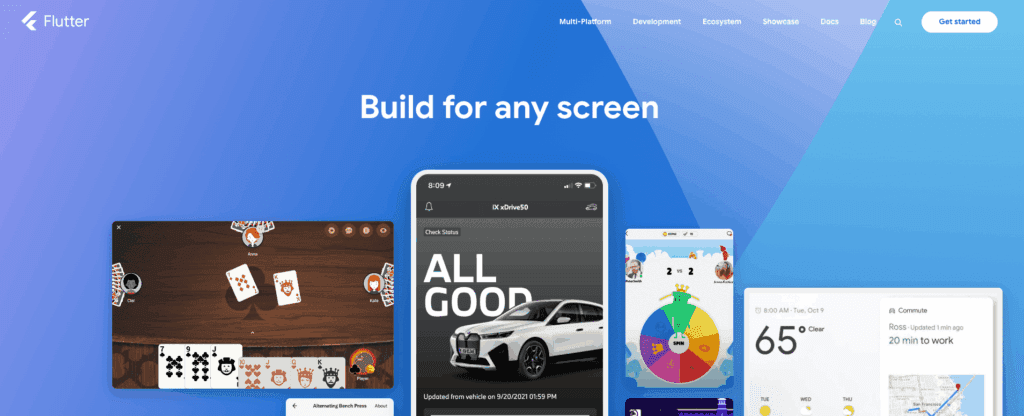
Key Features of flutter:
Single codebase :
When using Flutter, we write code in Dart. This code works for iOS, Android, web, and desktop (Windows, macOS, Linux). It reduces development time and costs while keeping features consistent.
Hot reload :
This feature allows developers to see the results of their code changes instantly.This means bugs can be fixed and new features can be added in a fraction of the time. The result is a faster development cycle and a more agile response to user feedback.
Rich widget library :
The pre-built library of user interface components ensures that your app will have a consistent, professional, and high-quality look on both iOS and Android. This provides a uniform brand experience without needing to spend extra time and money on custom design.
Near-native performance :
The technology compiles your app’s code directly to a format the device understands, which means it runs quickly and smoothly. For users, this translates to a great user experience with no lag or performance issues, which is crucial for retaining them.
Consistent UI and business logic :
Flutter manages the entire user interface, so your app will look and behave identically on every platform. This is vital for maintaining a strong and consistent brand identity across all your users’ devices.
Strong community and ecosystem :
Being backed by Google and having a large, active community means the framework is stable, well-supported, and has a vast library of ready-to-use plugins. This ensures that you have access to the latest tools and expertise, which is a sign of a reliable long-term investment.
Add-to-App :
This feature is perfect for businesses that have an existing native app but want to try out Flutter for new features. It allows you to build a new part of your app, like a checkout flow or a specific UI, with Flutter without having to rebuild the entire application from scratch.
Limitations of Flutter:
Larger application size:
Flutter apps typically have a larger download size than native apps because they bundle the Flutter engine and framework. This can be a concern for users with limited storage or slow internet speeds.
Access to newest native features:
There can be a delay in official support for the very latest operating system features. While platform channels allow developers to bridge to native code, they will have to wait for the community to create a plugin or write their own native code for new OS APIs.
Immature or missing ecosystem elements:
While growing rapidly, the ecosystem of third-party packages and libraries is still smaller than those for more established native platforms like iOS and Android. Some specialized libraries may not yet exist for Flutter.
Performance overhead for specific tasks:
For extremely complex graphics, intense 3D games, or low-level, CPU-bound processing, a native-only approach might yield a slight performance edge. While generally near-native, the small overhead is a consideration for highly demanding apps.
Unopinionated state management:
Flutter does not prescribe a single, official approach to state management. This freedom can be a double-edged sword, leading to confusion for new developers or inconsistency within large teams that don’t enforce a clear pattern.
Challenges with full native look and feel:
While Flutter’s widgets mimic the platform design languages (Material and Cupertino), achieving a truly pixel-perfect, native-feeling UI—including subtle platform-specific gestures and behaviors—requires extra effort.
Limited support for specific embedded platforms:
While Flutter is expanding into embedded devices, support is still maturing. Developers targeting very specific embedded systems (e.g., watchOS, tvOS, or automotive) may need to use native code for those platforms.
Popular Apps Built using the Flutter
Flutter is a popular framework for building cross-platform applications, and many well-known apps leverage its capabilities. Here are some examples of popular applications built using Flutter:
Google Pay:
Google’s own digital payment platform utilizes Flutter for a consistent experience across different operating systems.
My BMW App:
This application allows BMW owners to remotely control and manage various aspects of their vehicles.
Google Ads:
Google’s advertising platform uses Flutter for its mobile application, enabling users to manage campaigns on the go.
2. Android Studio :
Android Studio is Google’s official Integrated Development Environment (IDE) for building native Android apps. It provides all the tools you need to design, develop, test, and publish your app efficiently from the first layout to the final release.
Key Features android studio:
Compose Design Tools:
Android Studio provides Jetpack Compose, a toolkit to create dynamic app designs easily. You can preview your designs on any screen and see animations in real time. This helps your team build modern, responsive interfaces that work smoothly on phones, tablets, foldables, and more.
Intelligent Code Editor:
The intelligent code editor helps developers write code faster and with fewer mistakes. It supports Kotlin, Java, and C/C++ and gives real-time suggestions while coding. This means your app can be built more quickly, with fewer errors, saving time and cost for your business.
Flexible Build System:
With Gradle, Android Studio lets you customize app builds and create multiple versions from one project. Using the Build Analyzer, teams can detect potential issues early, ensuring your app runs smoothly and can grow with your business needs.
Emulate Any Device:
The Android Emulator lets you test your app on phones, tablets, foldables, TVs, and Wear OS devices without buying physical devices. This ensures your app works consistently for all users, saving time and hardware costs.
Android App Bundle:
Before publishing, Android Studio helps you inspect and optimize your app. Check resources, files, and compare app versions to reduce size and improve performance. This ensures your users get a high-quality app experience, right from the first download.
Limitation of android studio:
High resource usage:
Android Studio is a resource-intensive application, requiring significant RAM and processing power to run smoothly. For large projects, this can lead to slow performance and an unresponsive IDE.
Slow build times:
The Gradle build system, is powerful, but it can be slow and resource-heavy, particularly for complex, multi-module projects. Developers often report long wait times during builds, which can be a drag on productivity.
Emulator performance:
The Android Emulator, which runs a full virtualized version of the Android OS, can be slow and use a lot of memory, especially on low-end machines. This can sometimes make testing on a physical device the better option.
Steep learning curve:
Android Studio has a wide array of features, tools, and configurations, which can be overwhelming for developers new to the platform. It can take a significant amount of time to get comfortable with the IDE and its many functionalities.
App security and vulnerabilities:
Android’s open-source nature can make it more susceptible to security threats than closed platforms. Developers must be proactive in implementing robust security measures to protect user data.
Android-Only:
Android Studio is designed for native Android apps only.you’ll need a separate tool (like Xcode or a cross-platform framework) for iOS or other platforms. Apps built here cannot run on iOS or web without significant extra work.You’re tied to the Android ecosystem.
3. React Native
React Native, developed by Meta (formerly Facebook), is a leading cross-platform mobile app development framework that lets you build native-quality Android and iOS apps using a single JavaScript codebase.
Key Features of React Native:
Faster Development with a Single Codebase:
React Native allows developers to build Android and iOS apps using **one shared JavaScript codebase**, reducing both development time and costs.For startups and SaaS founders, this means **quicker MVP launches** and faster iterations based on user feedback.
Cost-Effective and Resource Efficient:
Since the same team can handle both platforms, businesses save significantly on development and maintenance costs.It’s a great choice for organizations that want to scale efficiently without managing multiple native teams.
Reusable Components and UI Consistency:
React Native’s component-based architecture helps maintain UI consistency across devices while reusing code and design elements.This leads to a seamless brand experience, especially important for SaaS products or B2C apps targeting a wide audience.
Rich Ecosystem and Community Support:
Powered by Facebook (now Meta) and an enormous developer community, React Native offers thousands of open-source libraries and plugins.This ecosystem speeds up development and gives developers proven tools to solve most challenges efficiently.
Easy Integration with Web Projects:
If your team already uses React.js for the web, adopting React Native becomes natural.The shared JavaScript knowledge allows developers to move between web and mobile easily. a big advantage for SaaS platforms aiming for cross-platform consistency.
Limitations of React Native :
Performance Limitations Compared to Native:
Because React Native relies on a JavaScript bridgeto communicate with native components, its performance can lag slightly behind pure native apps — especially for graphics-heavy or real-time applications.
Complex Native Module Integration:
To use some advanced device features(e.g., Bluetooth, AR, background processing), developers may need to write native code in Swift or Kotlin, increasing complexity and testing requirements.
Frequent Updates and Version Mismatches:
React Native evolves rapidly, but this sometimes causes version mismatches between libraries and dependencies, leading to extra maintenance overhead for developers.
Larger App Size:
React Native apps can have moderately larger file sizes due to bundled JavaScript and libraries, though modern optimization tools have minimized this issue.
Debugging and Performance Optimization Can Be Tricky:
Debugging React Native apps requires an understanding of both JavaScript and native platforms, which can be challenging for new teams.Performance tuning (e.g., for animations or memory use) may also need specialized experience.
Popular Apps Built Using React Native :
Numerous popular applications across various industries have been built using React Native, leveraging its ability to create cross-platform mobile experiences with a single codebase. Some notable examples include:
Facebook:
While not entirely built with React Native, Facebook utilized it for parts of its mobile app and for the Facebook Ads Manager.
Instagram:
A widely used social media platform that has integrated React Native to enhance its features and user experience.
Pinterest:
A popular image-sharing and discovery platform.
4. Swift
Swift is Apple’s official programming language for building iOS, macOS, watchOS, and tvOS applications. As a native mobile platform, Swift is designed to deliver fast, secure, and smooth performance on Apple devices.
Key Features of Swift :
Expressive and Concise:
Swift’s syntax is clear and easy to read. Developers can write less code while adding more functionality. This leads to faster development cycles and fewer errors. Startups and SaaS companies can launch MVPs quicker and iterate more effectively.
High Performance:
Swift is optimised for Apple platforms and runs directly on hardware. This ensures smooth, responsive apps. Users enjoy fast, lag-free experiences, which are vital for retention and engagement.
Safe and Reliable:
With optionals, type safety, and automatic memory management, Swift reduces bugs and crashes. Businesses can trust their apps to handle sensitive data securely. This is crucial for SaaS or enterprise applications.
Adaptable Across Platforms:
Swift isn’t just for iOS. It can be used on servers, microcontrollers, and other Apple devices. This gives your team the flexibility to scale your app ecosystem. Businesses can expand product offerings or integrate Swift into existing systems without starting over.
Interoperable with Objective-C:
Swift works seamlessly with Objective-C. This allows developers to modernise apps gradually or mix languages in one project. Existing Apple apps can be enhanced efficiently, saving time and costs.
Open-Source with Strong Community:
Swift is fully open-source, with active contributions from developers worldwide. This ensures regular updates, bug fixes, and access to modern tools. Long-term support and a large ecosystem reduce risks for businesses investing in Swift apps.
Limitation of Swift:
iOS-Only:
Swift only works on Apple devices. If you want to reach Android users, you’ll need a different solution or a cross-platform approach. For businesses, this means managing two separate codebases.
Talent Pool:
Swift is newer than older languages like Java or C++. Finding experienced Swift developers can be tough, which may affect hiring and project timelines.
Learning Curve:
Swift’s syntax is clear. However, it takes time to master advanced concepts like protocols, generics, and memory management. New developers may need extra training to contribute effectively to complex projects.
Backward Compatibility:
Updates to Swift sometimes require changes to existing code. If your app was built on an older Swift version, you may need to refactor parts of it to stay up to date with the latest changes.
Limited Third-Party IDE Support:
Xcode is the main environment for Swift development. Unlike more established languages, there are fewer alternative IDEs or tools, which can limit flexibility for some teams.
Popular Apps Built Using the Swift :
Swift, Apple’s powerful and intuitive programming language, is widely used to build a vast array of applications across Apple’s ecosystem and beyond. Here are some notable examples of apps built using Swift:
LinkedIn:
The professional networking platform utilizes Swift in its application development.
WhatsApp:
While initially built with Objective-C, WhatsApp’s iOS app has integrated Swift for its performance and security advantages.
5. OutSystems
OutSystems is a low-code application development platform designed to help businesses build, deploy, and manage apps faster without compromising quality. It’s especially useful for enterprises, SaaS companies, and teams that want to accelerate digital transformation.
Key Features of Outsystems :
AI assistance:
OutSystems Mentor and other AI capabilities assist throughout the entire software development lifecycle (SDLC), from generating app components to monitoring performance and ensuring code quality.
Rapid Development:
Build apps quickly using drag-and-drop interfaces and ready-made templates. This is ideal for fast MVPs or internal tools.
Cross-Platform Support:
Create apps for iOS, Android, and web from one codebase. This saves time and resources.
Enterprise-Grade Security:
OutSystems includes built-in security features and compliance tools. It’s perfect for critical business applications.
Seamless Integrations:
Easily connect to existing systems, APIs, or databases. This helps businesses use legacy systems while updating workflows.
Visual Development & Monitoring:
Teams can design apps visually. They can track performance and make quick changes based on real-time feedback.
Limitation of Outsystem :
High cost:
The platform can be too expensive for small businesses. It mainly targets larger enterprises. The licensing model depends on the number of application objects and end-users, leading to high costs for custom plans.
Steep learning curve:
Although it’s low-code, OutSystems is more complex than many alternatives. It requires technical skills to build and maintain sophisticated applications. The platform offers multi-day training, highlighting its complexity.
Vendor lock-in risk:
Customization is possible, but moving applications and data off OutSystems can be challenging due to its specific architecture and dependencies.
Restrictions in PaaS:
In the fully managed OutSystems Cloud, users have limited access to the infrastructure. This makes manual database tuning or maintenance tasks difficult.
Challenges with complex customizations:
OutSystems allows custom code, but implementing unique features or working with external databases can be tough and may need workarounds.
Developer talent pool:
There are fewer OutSystems-skilled developers than those for traditional programming languages. Training is available, but finding and keeping experienced talent can still be a challenge.
6.Bubble
Bubble is a no-code platform that lets businesses and startups create fully functional web and mobile apps without writing traditional code.
Key Features of Bubble:
Visual Development:
You can drag and drop elements to design your app’s interface. Think buttons, forms, and menus and all without writing a single line of code. You see your app come to life as you build it.
Custom Workflows:
Want a button to save data, send an email, or trigger another action? Bubble lets you set these rules visually, so your app behaves exactly how you want.
Built-In Database:
Bubble comes with a ready-to-use database, so you can store, manage, and secure your data immediately. No separate backend setup needed.
Connect to Other Tools:
Need payments, Google login, or integration with other software? Bubble can connect to thousands of services using plugins and APIs.
Responsive Design:
our app automatically adapts to look good on phones, tablets, and desktops. No manual adjustments needed.
AI Assistance:
Bubble’s AI assistant can suggest app structures and improvements, helping you develop faster.
Scalable Infrastructure:
Hosted on Amazon Web Services (AWS), Bubble scales automatically as your users grow.
Mobile Apps:
You can publish native iOS and Android apps directly from Bubble.
Templates and Plugins:
Access ready-made templates and pre-built components, saving time and effort.
Limitations of Bubble:
Platform Lock-In:
You cannot export Bubble’s code. If you ever want to move your app to another platform, you’ll need to rebuild it, though your data can be moved.
Performance Limitations:
Very complex or data-heavy apps may run slower than fully custom-coded apps. Optimizing speed may require some expertise.
Learning Curve:
Even without coding, advanced workflows, databases, and optimization can take time to master.
Not for Specialized Apps:
If your app involves high-end graphics, VR, or advanced machine learning, Bubble may not be the best choice.
Hosting Limits:
Your app runs on Bubble’s AWS servers unless you choose a high-tier dedicated plan. This can affect companies with strict compliance or security needs.
Usage-Based Pricing:
Pricing depends on how much your app uses server resources, so costs can rise as your app grows.
Plugin Dependency:
Many apps rely on third-party plugins, which can break or become unsupported over time.
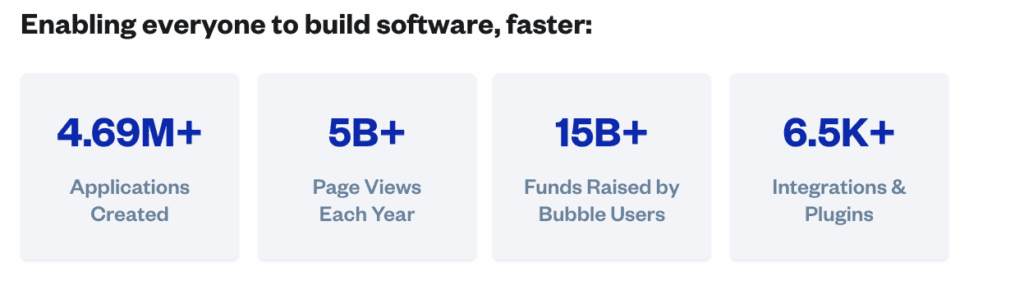
Apps Built using the Bubble:
7. Unity
Unity itself is a specific application development platform, particularly renowned for game development. but It is a cross-platform engine that allows developers to create 2D and 3D games and interactive experiences and then deploy them across mobile (iOS, Android), desktop (Windows, macOS, Linux), consoles (PlayStation, Xbox, Nintendo Switch), web (WebGL), and XR platforms like AR and VR.
Key Features of unity:
Work on Many Platforms:
With Unity, you can build your app once and run it on iOS, Android, web, or desktop. This saves time and money because you don’t have to create separate apps for each platform.
Amazing Graphics and 3D Support:
Unity helps you make apps look modern and interactive with cool 3D visuals. Your users will get a rich and engaging experience.
AR and VR Ready:
Want to make apps with augmented reality (AR) or virtual reality (VR)? Unity is perfect for things like training apps, product demos, or immersive marketing experiences.
Lots of Ready-to-Use Assets:
Unity provides thousands of pre-built assets, models, and templates so you can build faster without starting from scratch.
Custom Coding with C#:
If you have developers, they can use C# to add advanced features and custom logic, giving full control over how your app works.
Built-in Analytics and Revenue Tools:
Unity lets you track user behavior, show ads, and even include in-app purchases—great for businesses and SaaS apps.
Limitation of unity:
Might Be Too Big for Simple Apps:
Unity is very powerful, but for basic business apps or dashboards, simpler tools like Flutter or React Native may be easier.
Performance Optimization Needed:
Apps with 3D graphics or interactivity can use more memory and processing power, so developers need to make sure the app runs smoothly.
Larger File Sizes:
Unity apps can take up more space to download, which can be a problem in areas with slow internet.
Learning Curve:
Unity has many features, so it can take time to learn, especially for 3D, AR, or complex app logic.
Enterprise Licensing:
Some advanced tools and services in Unity need paid licenses, which can increase costs for big projects.
Popular Apps built using Unity:
Unity is a powerful cross-platform game engine used to create many popular games, as well as a variety of non-gaming applications.
Genshin Impact:
A massive and critically acclaimed open-world action RPG.
Pokémon GO:
The augmented reality (AR) phenomenon that brought Pokémon into the real world
How to Choose the Right Mobile App Development Platform
Budget and Timeline:
If you are constrained by time or budget, consider no-code tools such as Bubble or low-code platforms like OutSystems to expedite app development.For those with more resources, native development using Swift for iOS or Android Studio for Android offers superior performance and long-term adaptability.
Performance Requirements:
Applications requiring intensive graphics, animations, or substantial data processing perform optimally on native platforms.Conversely, standard business applications or MVPs are well-suited to frameworks like Flutter or React Native.
User Device Preferences:
Primarily iOS users? Opt for Swift.
Primarily Android users? Choose Android Studio.
For both iOS and Android users, cross-platform development is more efficient and cost-effective.
App Features:
For applications requiring extensive device access (such as camera, sensors, AR/VR, or payment systems), native development is the more secure choice.For standard features like forms, dashboards, or e-commerce, cross-platform or no-code solutions are effective.
Team Expertise:
For non-technical founders, no-code or low-code platforms minimize the complexities of coding.Experienced developers will benefit from the full control offered by native or specialized development tools.
Future Scalability:
If you anticipate scaling or incorporating advanced features in the future, evaluate the platform’s flexibility.Be aware that some tools may impose limitations due to vendor lock-in or smaller developer communities.
Conclusion
Choosing the right mobile app development platforms can feel overwhelming, but it doesn’t have to be. Whether you’re targeting iOS, Android, or multiple platforms in South Africa and worldwide , the key is matching your app’s purpose, audience, and resources to the right technology.
At Digital Humanity, we help businesses and startups navigate these choices, ensuring your app is not only functional but scalable, future-ready, and delivers a seamless user experience. By picking the right platform from the start be it native, cross-platform, low-code, or no-code you save time, cut costs, and set your app up for long-term success.
Related Blogs

Development
How to Build a Budgeting App in South Africa (Complete 2026 Guide)
South Africa is experiencing a rapid shift toward digital money management. Rising living costs, increasing household debt, and widespread mobile banking adoption have created strong demand for budgeting apps that help individuals and businesses manage their finances better.

DevelopmentStrategy
Low-Code vs. Custom Mobile App Development: What’s Best for South African Startups in 2026?
Low code mobile app development vs custom mobile app development is a question South African startups in 2026 are asking in one of the most competitive and cost-sensitive environments the country has ever seen. Funding is more selective, customers expect world-class digital experiences, and infrastructure realities like load shedding, data costs, and device diversity still shape how mobile apps are used.

Strategy
Best 6 Payment Gateways in South Africa: How to Choose and Integrate the Right One
If you’re searching for payment gateways in South Africa, you’re not here for theory. You want to know which options exist, how they actually work, and which one will perform best once integrated into your website, store, or app. South African payments aren’t simple, customers use cards, EFT, QR codes, and instalments, often on the same site.